
Keeping our pupils safe
At William Harding School we believe that educating children to stay safe online is of paramount importance.
Here is some advice from the NSPCC about supporting pupils of different ages
NSPCC - Advice for parents of under 5s
Supervise use - The NSPCC recommends this age group only have supervised access to technology. This means that they should only be using technology when fully supported by a parent or carer.
Use family devices, accounts and services – Use child friendly devices and services like children’s tablets and child versions of popular video sites.
Check content first – Check the content on apps and games each time before use and turn off features like ‘autoplay’ so you can be in control of what is shown next.
Set up your parental controls – make use of safety settings across your home Wi-Fi, devices and accounts. You can find out more by visiting the NSPCC parental controls page.
Start safety conversations - it’s important to start talking about safety online as soon as your child is using technology. Visit the NSPCC Techosaurus page for age-appropriate resources.
Establish healthy habits - Make technology use purposeful from a young age by making sure it’s playing a positive role in your family. You can do this by watching and enjoying age-appropriate online videos together.
NSPCC - Advice for parents of children under 10 years old
Enable access to devices with limited features - Device usage at this age is best kept to devices with limited capability. This could include tablets without data and non-smart phones that only allow calls and texts.
Keep tech use visible in the home - Try to keep tech use in shared family spaces or used with bedroom doors open. This will allow you to support your child and be more aware of what they are doing online.
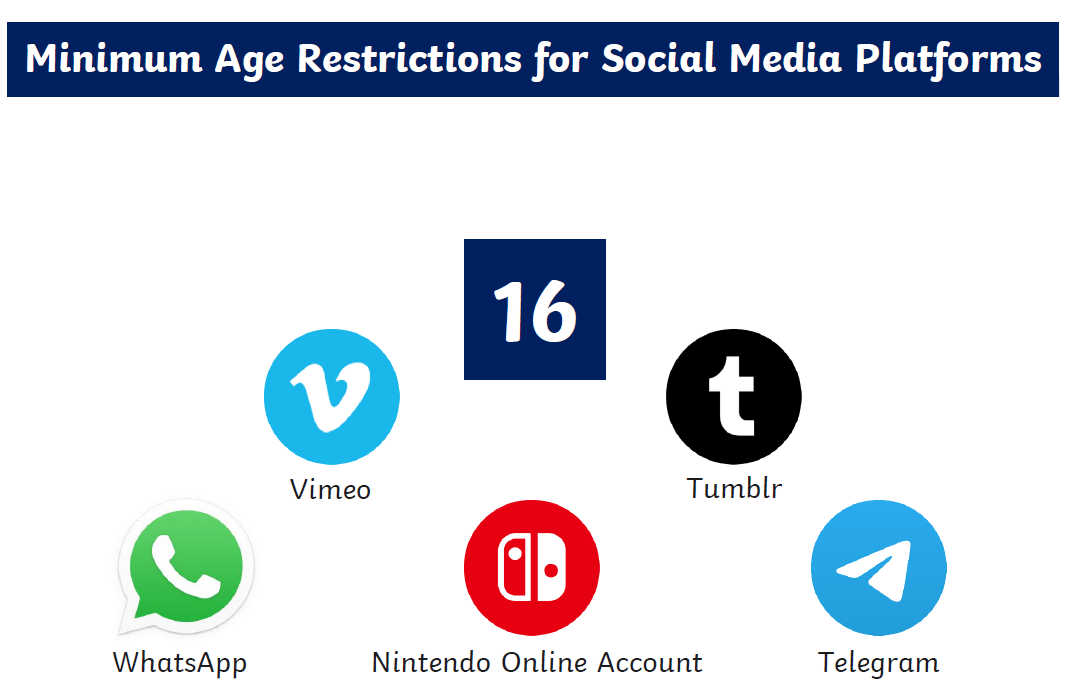
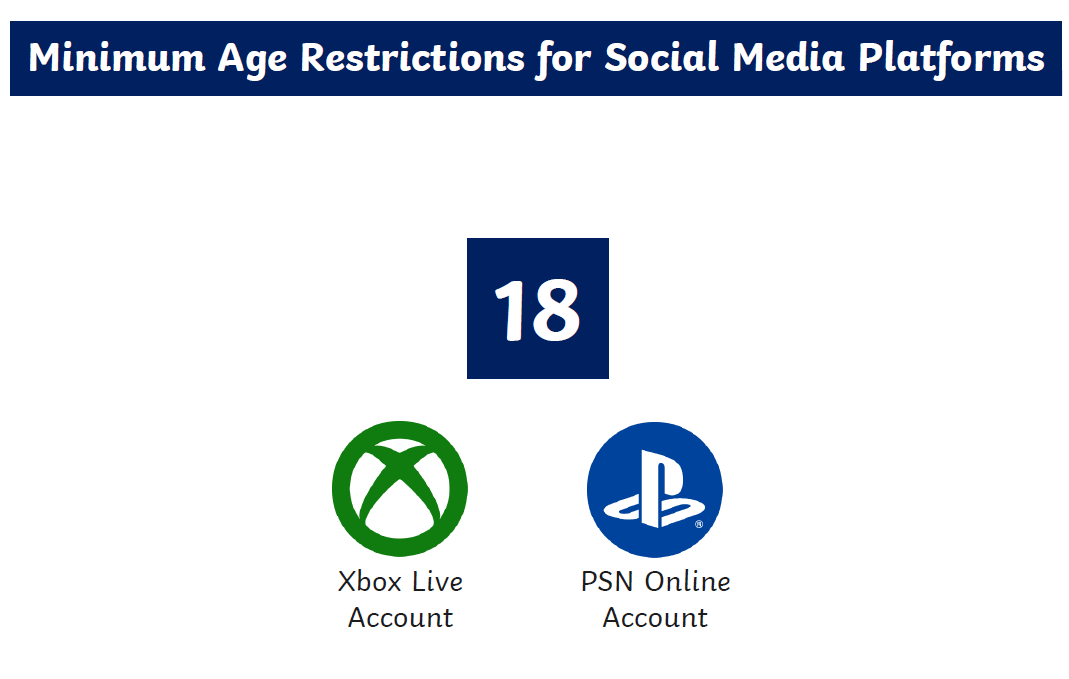
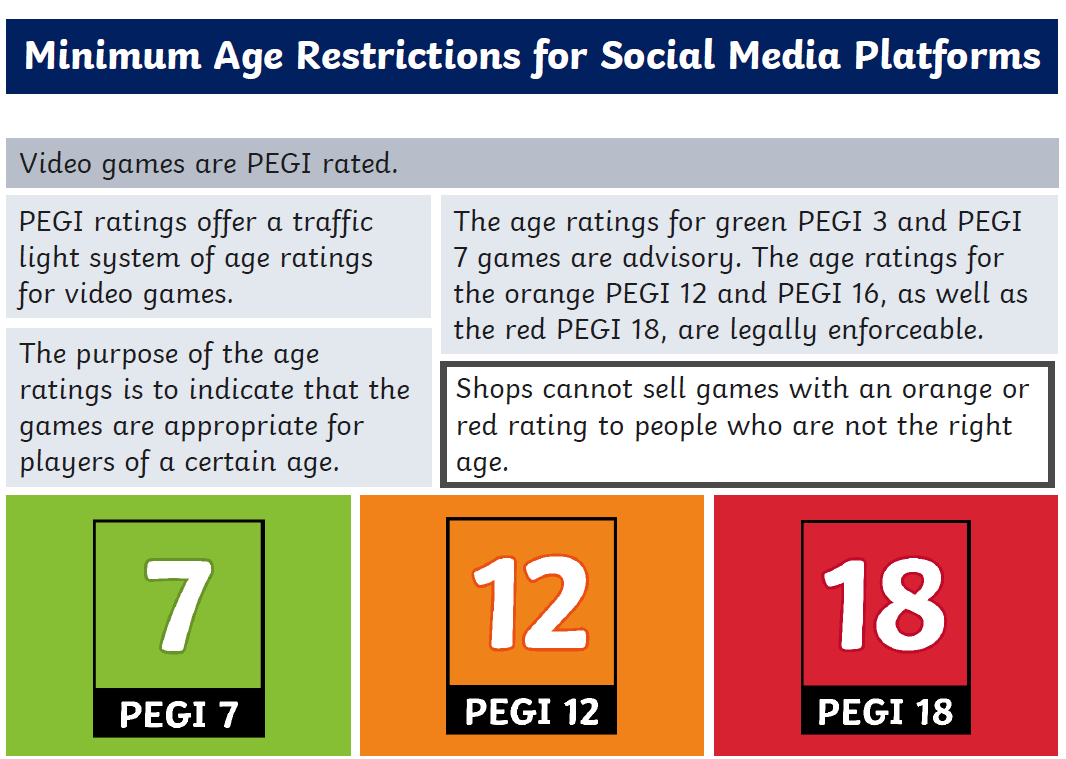
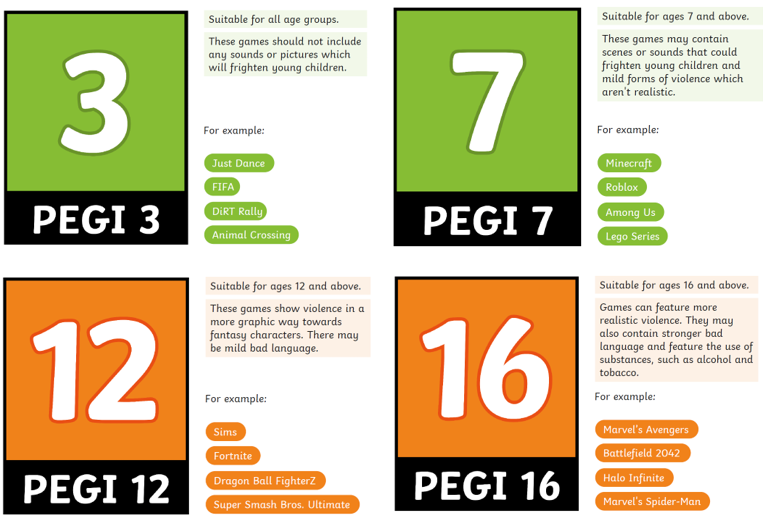
Follow age ratings – Apps, sites and games come with age ratings which are important to follow. You can find out the age rating on the website for the platform or by visiting Common Sense Media’s reviews.
Use safety settings – Explore the in-app and device safety settings with your child and check them regularly to make sure they are still in place.
Revisit parental controls – as children grow up and need the internet more for schoolwork you may want to adjust your parental controls. Keep checking these regularly to make sure they are in place.
Have regular safety conversations – at this age online safety conversations should be happening regularly. Visit the NSPCC advice on talking to your child about online safety.
Build healthy habits - acknowledge the positives it brings as part of your safety conversations and agree rules and boundaries together as a family.
NSPCC - Advice for parents of pre-teens and teens
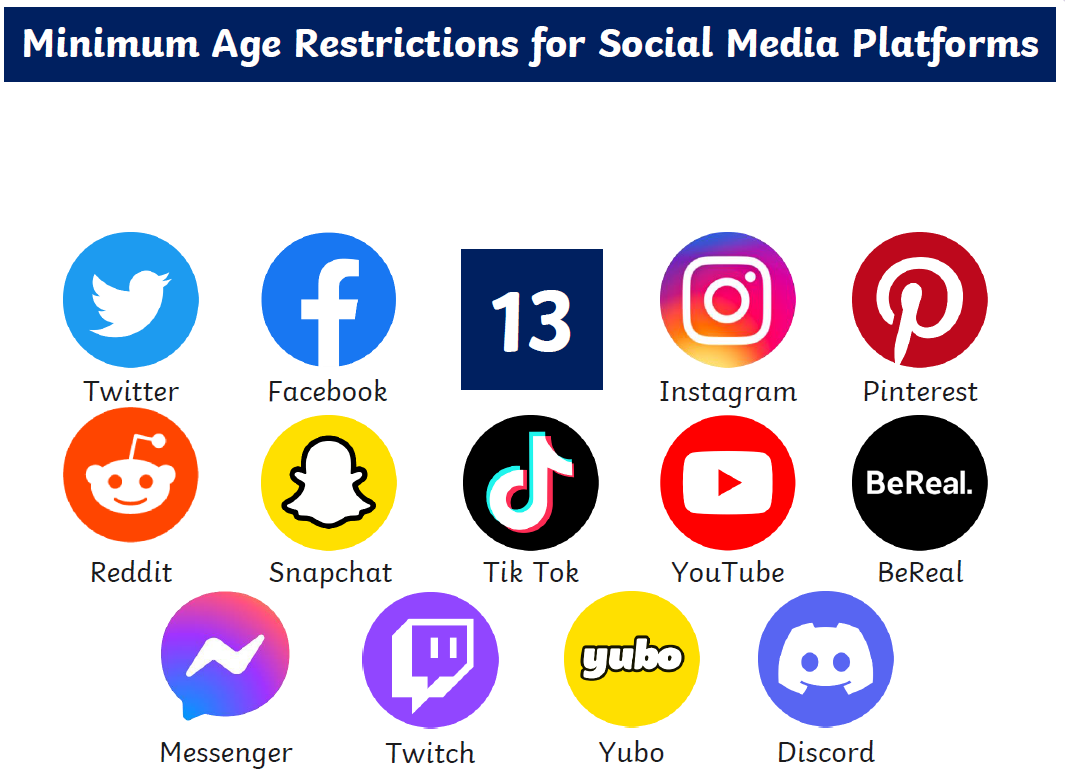
Follow age requirements - Many popular Apps, sites and games are 13+, it’s important to check and follow these with pre-teens.
Speak to phone providers - If your child owns their own smartphone then contact the service provider to make sure it is registered as a child's device. This means additional safety restrictions can be put in place.
Support your child with their settings - Support your child to manage their safety and wellbeing settings across devices and accounts.
Focus on regular safety conversations – It’s important to keep conversations regular at this age. Check our advice on tackling challenging conversations including tips for how to use technology to support you with this.
Share youth facing help and support - Make sure your child knows about services that can help like Childline. You could start by sharing the online safety advice content and the Report Remove tool created by the IWF and Childline.
Revisit parental controls – you will likely need to revisit your parental controls again at this age and adjust them. Keep checking these regularly to make sure they are in place.
Explore healthy habits together – Healthy habits work best when all the family agrees to following them. This could be agreeing to charge devices away from beds to support sleep and not using devices during mealtimes to help take breaks.
NSPCC - Advice for parents of children with SEND
Parents are best placed to know their child – This is particularly true for children with SEND. The NSPCC recommends parents consider the right age and stage for their child based off the level of support they need.
Make use of tech to support – Tech can be vital for communication, learning and sensory or emotional regulation for children with special educational needs. It’s important that children continue to receive access that is right for them.
Explore all relevant strategies – While age-based recommendations may not be appropriate they can instead be approached as a list of practical strategies for parents to explore.
Use resources tailored to children with SEND – The NSPCC worked with Ambitious about Autism to create tailored advice and resources for parents to use with their children
CEOP
CEOP is a command of the National Crime Agency and is dedicated to tackling the sexual abuse and exploitation of children and young people. CEOP helps children and young people under the age of 18 who have been forced or manipulated into taking part, or are being pressured to take part, in sexual activity of any kind. This can be both online and offline.
The CEOP Safety Centre offers information and advice for children and young people, parents and carers and professionals. You can visit the CEOP Safety Centre and make a report directly to CEOP by clicking the Click CEOP button.
Online bullying or other online concerns should not be reported to CEOP and children and young people should be directed to speak to an adult they trust, and/or referred to Childline, if they would like to speak to someone about how they are feeling.


Screen Time
‘During the national lockdown, people in the UK spent 40% of their day watching TV and online video services. The time spent on apps on Android devices increased 20% year-on-year in the first quarter of 2020, and consumer spending in both iOS and Google Play apps was up year-on-year 5% and 15% respectively. Data provided to Radio 1 Newsbeat showed overall phone usage was up by about 30% from pre-pandemic levels.
That’s a lot of screen time, especially given that research from before the pandemic reported that people already generally spend an average of three hours and 15 minutes on their phones every day. The top 20% of smartphone users spend upwards of four-and-a-half hours on their devices and few of us go longer than one hour and 43 minutes during the day without touching our phones.’ Guide to screen addictions and responsible digital use from Compare the Market.com
We know that during the pandemic children’s use of screens has also increased. To find out more about the increase in screen time and ways to limit it please see the link below.
Guide to screen addictions and responsible digital use from Compare the Market.com
Online Safety information for parents
TAP - Technology and Play - Exploring play and creativity in pre-schoolers’ use of apps
What I Wish My Parents Knew - A guide for Parents and Carers on Managing Children’s Digital Lives
Parent guides about how to keep children safe online
12 Smartphone online safety tips for children
12 Social Media online safety tips for children
Little Reminders of how to be Kind online
Safer games and apps for children Guide
Supporting children’s mental health - 10 conversation starters for parents
Policing vs Parenting - get to grips with gaming Guide
How to keep children safe online when remote learning
Poster of 10 top tips to keep children safe online
Letter to parents to keep children safe online / remote learning
Below are some useful links to some guides that will help you to keep your child safe online;
App Guides for Parents - Guides to app age ratings, risks, benefits and how to keep safe using the app
Fortnite Chapter 3
Online Safety Tips for Children
Set up parent controls - Iphone
Set up parent controls - Android
Setting up new devices for children
Call of Duty - Modern Warfare Guide
App Store Guide